

Why Is My Dust Collector Not Sucking Air?
A sudden loss of suction points to a critical restriction in airflow, most often from a blocked filter, ductwork leak, or fan failure. Your differential pressure (ΔP) gauge is the primary diagnostic tool; a reading consistently above 6" w.g. (water gauge) confirms severe filter loading that the pulse system cannot clear. Begin your diagnosis with this step.
First, visually inspect all ductwork joints, access doors, and connections for obvious gaps or damage. Even small leaks can result in up to 20% system airflow loss. Next, with the system off and locked out, check the fan. Ensure the motor is running at full RPM and that V-belts are properly tensioned; a slipping belt can reduce CFM by 15–30%. Manually verify that all dampers are in the fully open position and not obstructed by debris or a mechanical failure. For persistent high ΔP issues, the root cause is often within the pulse jet cleaning system itself. A quick test is to open an access door to the dirty air plenum while the system is running; if suction improves dramatically, the filters are the confirmed culprit. Confirm that the hopper discharge valve is sealing correctly and that no material is bridging the cone, since a flooded hopper will rapidly choke airflow.
For larger systems, also verify that the exhaust stack is not experiencing wind-induced backpressure or that no rain hood has been deformed. Inspect the duct transitions for smooth flow—elbows with a radius-to-diameter ratio below 1.5:1 generate turbulence that the fan must overcome. If suction remains poor after these checks, isolate the dust collector from the duct and run the fan alone to determine whether the restriction lies upstream or within the collector housing. This isolation test typically resolves whether the issue is process-side or collector-side within fifteen minutes of diagnostic work.
Filters Clogging Too Fast? Diagnose Air-to-Cloth Ratio and Dust Characteristics
Premature filter clogging is typically a design or process issue, not a maintenance fault. An air-to-cloth ratio exceeding 6:1 forces too much air through the media, accelerating blinding and shortening bag life. Verify your system's designed ratio and compare it to current operational throughput.
Dust characteristics are equally critical. Hygroscopic materials like cement or lime absorb moisture from the air, forming a hard, cement-like cake on filter surfaces that cannot be pulsed off. This often requires a pre-coat treatment or heated inlet air. Also, confirm your system's inlet velocity is maintained between 3,500–4,500 ft/min to prevent dust from settling in the hopper and being re-entrained. Finally, audit your process for any changes that may have increased the dust load, such as new machinery, higher material throughput, or different raw materials. A particle size analysis can also reveal if a finer dust is being generated, which will load filters more rapidly than originally designed for.
A common secondary cause of rapid clogging is moisture carryover from upstream equipment. If your process stream includes combustion gas, dryer exhaust, or humid ambient air drawn from outside, the relative humidity at the filter inlet can spike during start-up or weather changes. Installing an inlet temperature sensor and a dew-point calculation helps operators recognize when the operating window has moved into a condensation regime. Material bridging across bags is another frequent symptom; the upper cage and bag area can become coated with a continuous dust layer that the pulse system cannot dislodge, ultimately requiring a manual clean-down.
| Problem | Diagnostic Check | Operational Parameter |
|---|---|---|
| Rapid Filter Loading | Calculate current air-to-cloth ratio | Design max: 6:1 for most fabrics |
| Hygroscopic Dust Blindness | Inspect for hard, crusty filter cake | Requires pre-coat or inlet air <40% RH |
| Hopper Dust Settling | Measure inlet velocity | Target: 3,500–4,500 ft/min |
| Moisture Carryover | Log inlet temperature vs. dew point | Maintain inlet temp 20°F above dew point |
For a full breakdown of these issues, see our dedicated pulse jet dust collector troubleshooting guide.
Dust Bypassing the Filter: Seal Leaks and Housing Integrity

Visible dust emission from the stack or clean-air plenum indicates a physical breach allowing particulate to escape filtration, creating a compliance and safety hazard. The most common failure points are degraded gaskets on access doors, cracked welds at the tube sheet, or improperly seated filter bags.
Conduct a thorough visual inspection of all gaskets for compression set, cracking, or brittleness. Check the integrity of the tube sheet and housing welds. For leaks that are not visible, use a smoke pencil or ultrasonic leak detector around all seams while the system is running. Ensure every filter bag is correctly tensioned; sagging bags create gaps at the collar where dust can bypass. Finally, confirm that any replacement bags are the correct micron rating—typically between 1–5 μm for most industrial applications—as a mismatched media will not seal properly. Also, inspect the bag cage for any damage that could puncture the media during pulsing. Regular inspection of your baghouse's physical integrity is the first line of defense against bypass.
Operators should also confirm that the venturi (thimble) on top of each filter is correctly seated and not eroded. A worn venturi reduces the venturi effect that amplifies the pulse cleaning energy by 20–40%, and in some designs the venturi also acts as a secondary seal. Check the clean-air outlet manifold for any signs of dust accumulation—a white or grey dust film on internal surfaces is a strong indicator of a bypass leak originating upstream of the outlet. Record emission observations using a handheld particulate monitor or an opacity sensor to quantify the leak before and after repair, which provides both a benchmark and regulatory documentation for the maintenance file.
Pulse Jet System Not Pulsing? Diagnose Valves, Timers, and Pressure
A non-functional pulse jet system will cause a rapid pressure drop spike and system shutdown. The failure sequence follows a clear path: compressed air supply, then control signal, then valve mechanics. Pulse pressure below the critical 60 psi threshold results in incomplete cleaning, allowing dust cake to build irreversibly.
Start by verifying the main compressed air supply to the pulse manifold is between 60–80 psi. Then, initiate a manual cleaning cycle from the control panel. Listen for a sharp click from each solenoid valve; a silent valve indicates an electrical issue. Check the solenoid coil for the proper resistance (typically 15–30 ohms). If the solenoid clicks but no air pulse occurs, the most likely culprit is a torn or fatigued diaphragm in the pilot valve, which must be replaced. Finally, verify the control timer is set to appropriate intervals (10–30 seconds between pulses is typical) with a pulse duration of 0.1 seconds. Don't forget to check for clogged nozzles, which can severely weaken the cleaning energy directed into the bag.
Inspect the compressed air receiver tank for adequate volume; insufficient receiver capacity causes pressure drop during simultaneous pulse events, leading to inconsistent cleaning. Confirm that the air dryer and filter packages ahead of the pulse manifold are functioning—oil or water contamination will rapidly destroy diaphragm seals and solenoid internals. A weekly drain test of the air filter bowl is a simple safeguard. If your collector is fitted with a sequential timer, verify that the cycle time advances through all valves and that no valve is being skipped due to a wiring fault or PLC programming error.
| Component | Symptom | Diagnostic Test |
|---|---|---|
| Solenoid Valve | No pulse, no click | Test coil resistance (15-30 Ω) |
| Pilot Valve Diaphragm | Click heard, no pulse | Inspect for tears or fatigue |
| Control Timer | Erratic or no pulsing | Verify 10-30 sec interval, 0.1 sec duration |
| Air Pressure | Weak, ineffective pulse | Ensure supply pressure is 60-80 PSI |
| Air Receiver | Pressure drops during pulse | Check receiver volume vs. simultaneous pulse load |
For a deeper dive into valve and control issues, our fabric filter troubleshooting article provides detailed procedures.
Optimizing Cleaning Cycles with Differential Pressure Sensors
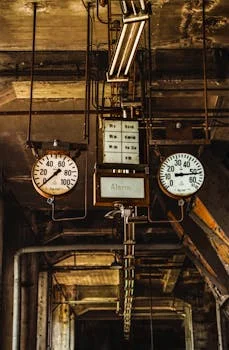
Transitioning from a fixed timer to a demand-based cleaning strategy controlled by ΔP sensors can reduce compressed air consumption by up to 30% and extend filter life. This method pulses valves only when necessary, based on the actual filter load.
Configure your system's controls to initiate a cleaning cycle when the ΔP reaches a set low alarm of 3–4" w.g., indicating a light dust cake that is efficient to remove. Set a high-pressure alarm at 6" w.g. to trigger an alert before the system risks overload and shutdown. This demand-based approach prevents unnecessary pulsing on clean filters, which can cause premature bag wear from abrasive flexing, and ensures vigorous cleaning only when a significant dust load is present. It is also advisable to install a pressure transducer with a local digital readout for real-time monitoring. Integrating this logic with a modern control system maximizes both energy efficiency and component longevity.
For installations that must meet strict emission limits, set the high alarm below the regulatory threshold and tie it to a process interlock. Should the ΔP fail to drop after a programmed number of cleaning cycles, the controller should generate a maintenance notification rather than continuing to pulse, which would waste compressed air and damage the bags. Many modern PLCs allow trending of ΔP against process events—recording the data lets maintenance teams correlate filter loading with shift changes, material changeovers, or ambient humidity shifts. This data-driven approach typically cuts unplanned shutdown events in half and provides quantifiable justification for capital replacement of media when its life cycle has ended.
Preventive Maintenance Checklist for Long-Term Reliability
A scheduled maintenance plan is the most effective way to prevent unplanned downtime and costly emergency repairs. Adhere to these intervals to maintain peak dust collector efficiency and reliability.
- Monthly: Inspect filter condition and record ΔP trends. Plan for replacement when pressure drop consistently exceeds 6" w.g. after cleaning.
- Quarterly: Clean the pulse jet air manifold and headers to remove moisture, oil, and pipe scale that can foul solenoid valves. Also, inspect and clean the fan wheel for material buildup.
- Every 2,000 hours: Lubricate fan motor and bearing assemblies per manufacturer specifications to prevent premature failure. Check sheave alignment and re-tension V-belts.
- Annually: Perform a full system inspection, including calibration of the differential pressure sensor and an ultrasonic leak test on the housing.
- Every 24 months: Replace filter media proactively based on cumulative operating hours and ΔP history, rather than waiting for catastrophic failure. Inspect hopper, rotary valves, and screw conveyors for wear.
This proactive approach mirrors the reliability-focused protocols used in field-tested dust collector maintenance programs and is the foundation of any dust collection asset management plan. Documenting each task in a centralized CMMS allows procurement teams to forecast filter and spare-parts spend, while giving operations a clear record of when each subsystem was last serviced.
Frequently Asked Questions
What is a differential pressure sensor and why is it critical?
A differential pressure (ΔP) sensor measures the pressure drop between the dirty-air inlet and clean-air outlet of the filter. It is the primary indicator of filter loading: a high ΔP signals that the pulse cleaning system is not keeping up, while a sudden drop may indicate a torn bag or bypass leak. Operating with a calibrated ΔP sensor is essential to maintain compliance, protect the fan motor from over-pressurization, and trigger demand-based cleaning cycles.
How often should pulse jet valves be inspected?
Solenoid and diaphragm valves should be inspected quarterly under normal operation. Facilities running 24/7 with high dust loading should perform a visual and functional check on the solenoid coils and diaphragms every 1,000–2,000 operating hours. Replace diaphragms at the first sign of fatigue, as a torn diaphragm renders the valve inoperative and allows dust cake to accumulate.
What is the correct air-to-cloth ratio for an industrial dust collector?
For most fabric filters operating on common industrial dusts, the air-to-cloth ratio should not exceed 6:1. Finer particles or high-density dusts may require ratios of 4:1 or lower. Exceeding the designed ratio dramatically increases the frequency of filter replacement and the energy required for pulse cleaning.
Can a dust collector run with a leaking bag?
Continuing to operate with a known torn or bypass-leaking bag will result in regulatory non-compliance, increased stack opacity, and potential exposure of personnel to hazardous dust. The bag should be replaced or isolated (if the design permits) at the earliest scheduled outage. Most modern ΔP-controlled systems will indicate a sudden pressure drop that flags a likely bag failure.
What pressure should the compressed air supply be set to?
Maintain the pulse jet manifold at 60–80 psi. Operating below 60 psi produces weak cleaning pulses and leads to irreversible cake buildup. Pressures above 90 psi can damage valve diaphragms and accelerate bag wear without a meaningful improvement in cleaning efficiency.
How do I know if my filter bags are the correct specification?
Verify the micron rating, weight (oz/yd²), and surface treatment against the original equipment specification sheet. For most industrial applications, a 1–5 μm efficiency rating is appropriate. If a substitute media has been installed, confirm that the air permeability, temperature rating, and chemical resistance match the original design parameters, otherwise filtration efficiency and bag life will be compromised.