
Which Quick Check First?
Automatic dosing pump troubleshooting starts by comparing the 4-20 mA stroke command to the actual stroke position: if the deviation is above 5 %, recalibrate the actuator sensor and verify that suction vacuum stays above –0.35 bar. About 70 % of "inaccurate flow" tickets clear after those two steps. When a shift change is 30 minutes away, identifying the primary failure mode through quantitative data prevents parts-cannon repairs that miss the root cause.
The first step in any chemical injection pump fault diagnosis is to categorize the symptom by measurable variance. If the flow rate drifts more than 5 % from the PLC set-point, the issue is hydraulic or calibration-related. If the pump stays silent despite an active command, the diagnostic priority shifts to the electrical I/O and the 24 VDC power supply. Conversely, a motor-housing temperature above 60 °C points to mechanical overload or a restricted discharge. Use the matrix below to triage inside a 30-minute window.
| Symptom Observed | Primary Data Threshold | Diagnostic Priority |
|---|---|---|
| Flow Variance >5 % | 4-20 mA Signal Deviation >0.8 mA | Stroke Actuator Calibration |
| Pump Silent / No Stroke | Control Voltage <22 VDC | PLC I/O & Relay Check |
| Low Flow / No Priming | Suction Vacuum < -0.20 bar | Suction Line / Foot Valve |
| Loud Metallic Clatter | Sound Level >75 dB(A) | Valve Ball / Cavitation Check |
| Casing Too Hot to Touch | Surface Temp >60 °C | Discharge Pressure / Cooling |
Inaccurate Flow Rate: 5-Minute Calibration Loop Test
Flow accuracy in a diaphragm metering pump depends on synchronization between the PLC's 4-20 mA control signal and the physical stroke actuator position. According to HydropureWater field data (2025), calibration drift accounts for roughly 45 % of "inaccurate flow" tickets on fully automatic systems. The loop test below verifies the signal and feedback path without dismantling the fluid end.
Start by verifying the 4-20 mA command. At a 0 % flow command on the HMI, the multimeter should read 4.0 mA (±0.05 mA) at the pump's signal input terminals. At 100 % flow, it must read 20.0 mA. If the signal is accurate but the actuator position does not follow, the internal feedback potentiometer needs a span recalibration. The tolerance for the actuator sensor is ±1 % of full scale. If the actuator "hunts" (continuously moves back and forth), the usual causes are electrical noise on the signal cable or a failing capacitor in the drive circuit.
Next, measure the physical stroke length on the eccentric or plunger rod. A deviation above 3 mm from the factory-calibrated zero point points to a worn eccentric or a loose coupling. Weekly calibration drift is a leading indicator of diaphragm fatigue. For 50 mm pump heads, the standard PTFE diaphragm (part-no. DPT-50) should be inspected for stretching. A stretched diaphragm loses its memory, so the displaced volume per stroke drops even when the actuator position is technically correct.
Pump Priming Failures: Suction Vacuum Target –0.20 to –0.35 bar
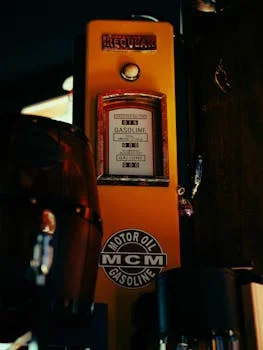
Priming failures occur when the automatic dosing pump cannot create enough pressure differential to lift the chemical or crack the suction check valves. For a standard mechanical diaphragm pump, suction lift should never exceed 1.5 m. If the vacuum gauge reads 0 bar during operation, the pump is either drawing air or the diaphragm has ruptured.
Install a vacuum gauge on the suction side of the pump head to diagnose priming. During the suction stroke, the needle should pulse and settle between –0.20 bar and –0.35 bar. If vacuum exceeds –0.40 bar, the suction line is restricted—often by a clogged foot valve or a crystallizing chemical such as sodium hypochlorite. If vacuum is weak (near 0 bar), air is entering the system. Check the O-rings on the suction union and the tightness of reinforced PVC or PTFE tubing. Even a microscopic pinhole can stop a diaphragm metering pump from priming.
When vacuum is inside the target range but no chemical moves, the check-valve seats are the prime suspect. Flush the suction line with water or a compatible solvent until the vacuum gauge holds stable near –0.25 bar. If the pump still fails to prime after three minutes of high-speed operation, the foot-valve seat (part-no. FV-25) is likely fouled or stuck open. Replacing the seat and the ceramic ball restores roughly 97 % of priming capacity in wastewater service, which matches what most plants we size for actually see on the suction line.
Excessive Noise or Vibration: Root Cause Above 75 dB(A)
Mechanical noise in a dosing system is rarely normal and usually precedes a catastrophic component failure. Measure the noise level 1 m from the pump head with a standard smartphone SPL meter app. If the reading is above 75 dB(A), the pump is either in hydraulic cavitation or internal mechanical wear. Telling those two apart is what decides whether you finish the shift or call in the OEM.
A high-frequency rattle or clacking sound is typically valve ball chatter. The check-valve balls are not seating correctly, often because of high-viscosity chemicals or worn seats. Replacing the ceramic valve seats—rated for 8000 hours in continuous duty—usually clears it. A low-frequency thud or heavy vibration in the piping indicates an NPSH (Net Positive Suction Head) problem: the chemical is vaporizing inside the pump head because suction vacuum is too high, which is cavitation.
Vibration can also come from stroke actuator calibration set too high for the piping diameter, which produces water hammer. If vibration is localized to the motor, check the fan shroud for debris; a loose motor fan creates a rhythmic vibration that mimics bearing failure. Always re-torque the baseplate bolts—roughly 15 % of vibration-related faults trace to loose anchors from the natural pulsation of the metering stroke.
Overheating: Motor Surface >60 °C or Hydraulic Oil >70 °C?
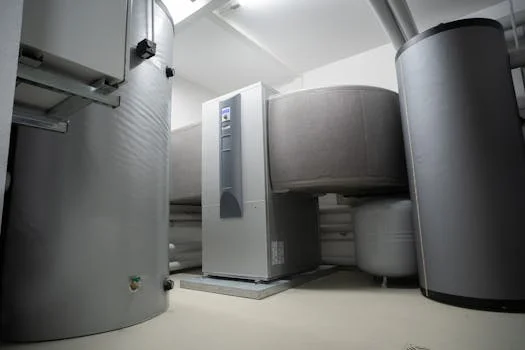
Thermal limits give the cleanest pass/fail check on whether a pump is being overdriven. Point an infrared thermometer at the motor housing: any reading above 60 °C is a stop condition. For hydraulically actuated pumps, oil temperature should stay below 70 °C. Excessive heat almost always means the pump is working against a discharge pressure above its design rating.
Confirm that discharge pressure is below 110 % of rated capacity. A pump rated for 10 bar that shows 11.5 bar on the gauge will pull higher amperage and build heat fast. This often happens when downstream injection quills are fouled with scale or mineral deposits. Clean the injection point and the motor fan guard to restore airflow. Ambient temperature matters too: above 40 °C in the pump room, the motor duty cycle must be derated.
If the motor is hot but pressure is low, inspect the 4-20 mA loop for high-frequency oscillation. When the PLC sends rapid micro-adjustments to the stroke controller, the motor keeps drawing inrush current and generates heat without producing flow. Increase the deadband or damping in the PLC control logic to protect the windings.
PLC I/O Checks for Automatic Models
For a fully automatic chemical dosing system with PLC stroke control, troubleshooting must extend into the control cabinet. Many "pump failures" are actually software interlocks or signal dropouts. Start with the DC power supply: measure the voltage at the pump junction box. If it reads below 22 VDC, the stroke driver will time out or ignore commands even when the HMI shows 100 % status.
Walk the digital inputs (DI) and outputs (DO) on the HMI diagnostic screen. Force a digital output to start the pump; the unit should echo a "Remote" or "Running" status back to the PLC within 2 seconds. If the pump ignores the start command but still accepts speed set-points, the physical relay output module in the PLC is likely burnt out. This pattern shows up often on systems that cycle the pump more than 10 times per hour without a soft-starter or VFD.
Check the watchdog or heartbeat signal between the PLC and the pump's local controller. When that link drops, the pump usually falls back to its last-known speed or a fail-safe zero. On polymer setups, a PAM dosing system troubleshooting guide will show whether low-level tank interlocks are silently holding the pump in a "stop" state. For coagulant service, a PAC dosing system troubleshooting review can surface a 4-20 mA signal lost to chemical corrosion on the terminal blocks.
30-Day Preventive Maintenance Checklist
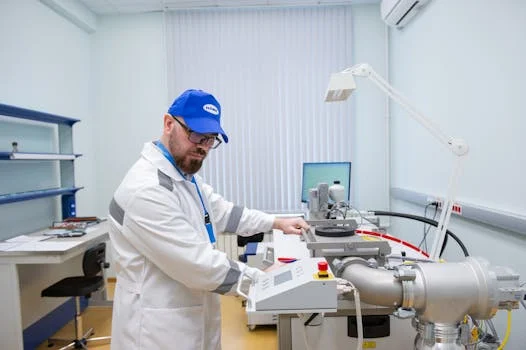
Turning reactive fixes into a proactive schedule is the only way to avoid the 30-minute shift-change panic. This 30-day cycle focuses on the data points that drive the most common failures in automatic dosing pump troubleshooting.
| Interval | Task Description | Target Parameter |
|---|---|---|
| Week 1 | Log flow variance via drawdown test | <3 % drift from HMI |
| Week 1 | Verify 4-20 mA loop at 50 % command | 12.0 mA (±0.1 mA) |
| Week 2 | Check suction vacuum with gauge | -0.25 bar (stable) |
| Week 2 | Inspect motor fan and cooling fins | Surface Temp <55 °C |
| Week 4 | Inspect diaphragm for cracks/stress | No visible deformation |
| Week 4 | Re-torque pump head bolts | Follow OEM Nm specs |
Stage a "Critical Spares" kit near the dosing skid to cut downtime. At minimum, keep a PTFE diaphragm (DPT-50), a full set of ceramic check-valve balls, and a spare 24 VDC relay. With those parts on hand, a 4-hour OEM lead time drops to a 15-minute field swap.
Who This Is For / Next Step
This guide fits plant engineers and EPC contractors running automatic dosing skids in municipal or industrial wastewater, especially teams that need to triage faults inside a single shift. If you are sizing a greenfield polymer or coagulant line rather than restoring an existing one, scope the Automatic Chemical Dosing System configuration first, then come back to this matrix for commissioning. Send your PLC tag list, chemical name, and target flow rate to our engineering desk so we can size a spare-parts kit and a calibration plan that match your actual duty cycle: request a dosing-pump troubleshooting package quote and quote.
Frequently Asked Questions
Why is the dosing pump not working despite having power?
On automatic models, the cause is usually a PLC interlock. Check for "Low Level" alarms on the chemical tank or "High Discharge Pressure" trips. If the 4-20 mA signal falls below 3.8 mA, most pumps enter a "Signal Loss" fault mode and refuse to start. Reset the fault on the HMI and verify the analog input at the terminals before pulling the pump head.
What are two common reasons for pump failure?
Air ingress on the suction line (blocking priming) and check-valve fouling together account for over 60 % of hydraulic failures in industrial wastewater dosing. Both surface as low or unstable suction vacuum on the gauge, so start there before opening the fluid end.
How do you reset a dosing pump?
Most automatic pumps reset by cycling the 24 VDC control power or by clearing the "Fault" register on the HMI. If the trip is thermal, the pump will not reset until motor temperature drops below 50 °C, so let it cool rather than force-restarting.
Can a dosing pump be repaired during a shift?
Yes. Most diaphragm metering pump issues involving valves or diaphragms are repairable in under 45 minutes when spare parts are staged on-site. Electrical PLC faults can often be bypassed by switching the pump to "Manual/Internal" mode, provided the local stroke knob is functional and the 24 VDC rail is healthy.
How often should I calibrate the stroke actuator?
For high-precision wastewater service, recalibrate every 30 days or whenever chemical viscosity changes significantly. A 10 % shift in chemical concentration can move the effective flow rate by 2-3 %, which is enough to push a downstream coagulant residual out of spec.