

Industrial Multi Media Filter Maintenance Protocol
An industrial multi media filter maintenance protocol runs seven steps: inspection, backwash, pressure monitoring, bed assessment, media changeout, testing, and compliance logs. Backwash at 10–15 psi differential or above 3 NTU turbidity to hold filtration efficiency above 95%.
A multi media filter maintenance program has seven core steps: inspection, backwashing, pressure monitoring, media bed assessment, partial or full media changeout, and compliance documentation, with post-maintenance testing closing the loop. When a filter already shows short runs or high headloss, start with the Multi Media Filter Troubleshooting: 7 Data-Backed Fixes for B2B Engineers guide, then return here for the routine work. On skids we commission, the feed pump complains about a dirty bed before the turbidity meter does.
Why Multi Media Filters Fail Without Proper Upkeep
Neglecting routine upkeep on multi media filters creates a cascade of failures that cut water quality and raise operating cost. Sediment buildup can reduce filtration efficiency by up to 70% within three months if backwashing is skipped. That load mixes the anthracite, sand, and garnet layers, opens channeling paths, and weakens depth filtration for fine particles.
Clogged beds force pumps to work harder and can raise energy use by 20–30% as differential pressure climbs. Most plants we size for process water see that stress first at the feed pump, not at the turbidity meter. Without a structured program, the unit shifts from a reliable pretreatment asset into a liability for discharge permits and ultrapure water specs.
The pattern repeats across plants we audit: a few skipped washes, then mudballs at the surface, then a bed that never quite re-stratifies no matter how long the rinse runs. Catching that slide early is cheaper than any media purchase, because a mixed bed keeps failing even after fresh media goes in.
Step 1: Daily and Weekly Visual Inspections
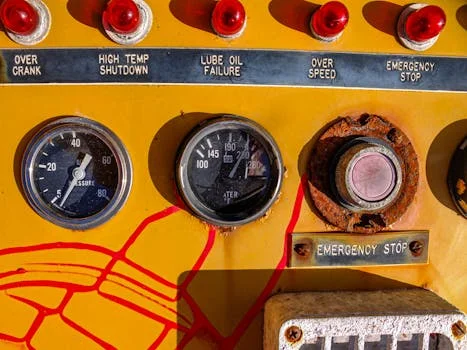
Early detection stops small vessel issues from becoming unplanned downtime. Daily checks cover external leaks, flange corrosion, and correct alignment of pressure gauges and sample ports. Weekly checks look at the media surface for ponding, debris, or discoloration that can signal clogging or channeling.
Clear control openings and vents so trash does not block airflow or valve travel. On automated skids, confirm valve positions and actuator indicators before the shift ends. Log findings in the plant maintenance journal so trends show up before a turbidity excursion forces a scramble. Operators who buy industrial water filter maintenance services should still keep this log in-house so contractors inherit a real baseline.
A sight glass that shows ponding on one side and a dry patch on the other is channeling, not a stain. Mark that spot and core it at the next outage. Most crews we train catch this on the weekly walk, not during the annual media job.
Step 2: Backwashing Protocol and Frequency
Effective backwashing dislodges trapped solids and restores media capacity. Start a cycle when differential pressure across the filter reaches 10–15 psi, or when effluent turbidity exceeds 3 NTU on two consecutive readings. Industrial multi-media beds commonly use an upward rate of 12–15 gpm/ft² for 10–15 minutes, which expands the bed by 20–30%.
Multi Media Filter Backwash Frequency Industrial
Multi media filter backwash frequency industrial duty should follow differential pressure and turbidity first, with time only as a backup. Many loaded industrial trains still land in a 24–72 hour window between washes, but the gauges should win over the calendar whenever the two disagree. Wikipedia's rapid sand filter overview notes that during backwashing, the bed is fluidized and care must be taken not to wash away the media, which is why frequency, rate, and expansion checks belong on one log sheet instead of three.
According to the U.S. EPA LT1ESWTR turbidity guidance manual, a proper backwash rate should expand the filter about 20 to 25 percent, with expansion sometimes as high as 50 percent depending on media and temperature. Earlier plant practice often targets 20–30% bed expansion; keep freeboard and retention screens matched to the design target. Ireland EPA filtration guidance lists automated backwash triggers in priority order as filtered turbidity, head loss, and time, and treats spent washwater as typically clean near 10–20 NTU.
Cold water raises viscosity and lifts media farther at the same gpm/ft², so seasonal retuning of backwash flow protects against media loss over the top collector. Warm water does the opposite and can leave the bed under-expanded if operators keep a winter setpoint. Verify expansion with a marked probe or sight glass at least once per season.
| Trigger Condition | Action | Flow Rate | Duration | Expected Bed Expansion |
|---|---|---|---|---|
| Differential Pressure > 10–15 psi | Initiate Backwash | 12–15 gpm/ft² | 10–15 minutes | 20–30% |
| Effluent Turbidity > 3 NTU (consecutive readings) | Initiate Backwash | 12–15 gpm/ft² | 10–15 minutes | 20–30% |
| Scheduled Calendar Trigger | Initiate Backwash | 12–15 gpm/ft² | 10–15 minutes | 20–30% |
Automated systems such as the Multi-Media Filter for Water Treatment can run regeneration on pressure, time, or volume setpoints. After every backwash, run a fast rinse until turbidity drops below the downstream target. For pressure-layer context beyond this protocol, see multi media filter work pressure on the companion engineering page.
What Is a Bad Pressure Differential for a Multi Media Filter?
A bad pressure differential for a multi media filter is a rapid rise from a normal 2–5 psi clean-bed range toward the 10–15 psi backwash trigger within about one week of operation. Install differential pressure gauges on the inlet and outlet for continuous monitoring. Industry references often cite a clean multi-media bed near 3–7 psi and recommend backwash near 10 psi above the clean baseline when turbidity also drifts.
Record flow daily. A drop of 15% or more from the established baseline points to partial blockage, air binding, or a throttled valve. Trend those values in SCADA so operators act before effluent quality fails. When solids load is extreme and cake filtration is the real duty, operators sometimes compare notes with filter press maintenance practices, but the hydraulics and media rules here stay specific to graded beds.
Multi Media Filter Differential Pressure Troubleshooting
Multi media filter differential pressure troubleshooting works from three clues: the shape of the rise, the flow reading, and the rinse behavior after a completed wash. A fast climb from the clean 2–5 psi baseline to the 10–15 psi trigger inside a week points to solids load or air binding. A step change that appears right after media work points to underdrain laterals or a trapped valve instead. Confirm the transmitter zero before replacing anything, because a drifted gauge fakes both patterns convincingly.
Step 4: Annual Media Bed Assessment and Cultivation
Annual media bed assessment protects layered depth filtration over multi-year service. Remove the top 2–3 inches of media to break crust and compacted fines, then check total bed depth against the manufacturer drawing. A typical configuration uses 12 inches of anthracite, 18 inches of sand, and 6 inches of garnet (12/18/6), though depths vary with vessel diameter and design flow.
Pull a vertical core sample and confirm distinct stratification. If sand fines exceed 5% or bed expansion during backwash falls below 15%, plan partial or full replacement. That check protects downstream RO membranes, ion exchange resin, and disinfection stages from premature fouling. Mudballs, flat spots after backwash, and mixed color bands in a core are field signs most plants act on the same week they appear.
For background, Wikipedia's rapid sand filter article describes rapid gravity beds using relatively coarse sand (0.5 to 1.0 mm) and other granular media, such as anthracite, in beds of 0.6 to 1.2 metre depth. Industrial multi-media vessels extend the same principle with three graded layers instead of one, which is why depth checks, not grain checks, are the annual field measurement. Grain size belongs to the OEM drawing; bed depth is what a maintenance crew can verify with a rod and a log sheet.
Multi media filter design calculations operators should verify
Multi media filter design calculations that matter during upkeep are simple area and rate checks, not a full re-design. Confirm service loading stays near 3–7 gpm/ft² of bed area for industrial multi-media duty, then verify backwash delivery can still hit 12–15 gpm/ft² at the coldest seasonal water temperature. Vessel freeboard must allow the design bed expansion without media loss over the top distributor. Recalculate required backwash gpm as rate times bed area whenever orifice plates, pump curves, or seasonal viscosity change.
Multi Media Filter Annual Maintenance Checklist
A multi media filter annual maintenance checklist confirms depth, layers, expansion, and valve shutoff before the high-solids season arrives. Most plants we audit schedule it against the wettest loading month rather than the calendar anniversary, so the bed enters the worst season freshly verified. Walk the vessel with the drawing in hand and close out every line on the sheet below before the crew leaves the site.
- Measure anthracite, sand, and garnet depths against the drawing, for example 12 inches, 18 inches, and 6 inches (12/18/6)
- Skim the top 2–3 inches when the surface is crusted, and log the depth removed
- Core the bed and plan replacement if sand fines exceed 5% or expansion falls below 15%
- Measure bed expansion at the coldest and warmest water, with freeboard for 20–30% expansion
- Confirm clean-bed differential pressure, typically 2–5 psi and often 3–7 psi in industrial references
- Prove outlet valves seal, and record the media loss trend against the previous year
Step 5: Partial and Full Media Replacement
When partial or full media replacement is required, isolate the vessel first. Shut the system down, close inlet and outlet valves, drain the tank, and verify zero pressure before opening. Confirm the vessel cannot backfeed from a common header through a check valve.
Vacuum fine sand or garnet where possible to limit cross-contamination. Dispose of spent media under local rules, especially if it holds heavy metals or toxic organics. Reload gravel support if specified, then garnet, sand, and anthracite in order, leveling each layer and recording installed depths. Teams that also keep a filter press maintenance manual on site should still treat media reload as a separate confined-space job with its own LOTO sheet.
What Happens If a Multi Media Water Filter Runs Dry?
What happens if a multi media water filter runs dry is air entry into the bed, loss of hydraulic seal, and a high risk of channeling when the unit is refilled. Dry media can crack at the surface, allow preferential flow paths, and disturb anthracite–sand–garnet stratification that depth filtration depends on.
On restart, trapped air often shows up as unstable differential pressure, short filter runs, and turbidity spikes until the bed is fully rewetted and re-stratified with a controlled fill and rinse. Most plants we support refill slowly from the bottom, vent high points, then run a full backwash and rinse before returning the filter to critical service. Never resume high service flow into a partially dry bed.
Multi Media Filter Runs Dry Restart Steps
Multi media filter runs dry restart steps follow one order every time: isolate, vent, fill slowly from the bottom, wash, rinse, then return to service. Open the top vent before any water moves so displaced air leaves through the vent line instead of through the bed. Keep the fill rate low until water stands above the media surface, then run one full backwash and rinse before the vessel sees service flow again. Log the event, the media depths before and after, and the first differential readings, because a dry-bed incident often shows its real damage a week later as early channeling.
Step 6: Post-Maintenance Testing and Calibration
Post-maintenance testing confirms the filter meets the site specification after backwash or media work. Immediately after service, check effluent turbidity remains below 1 NTU and that free chlorine or conductivity matches downstream requirements. On the next backwash, verify 20–30% bed expansion against measured bed depth.
Reset automated regeneration timers, and zero differential pressure transmitters at atmospheric pressure before returning the unit to duty. Capture a 24-hour performance baseline and compare it with historical runs. That record shows whether the work restored capacity or only masked a deeper underdrain problem. If expansion stays below 15% after a verified 12–15 gpm/ft² wash, inspect laterals and media retention before blaming the controller.
Step 7: Documentation, Safety, and Regulatory Compliance
Documentation, LOTO, and permit alignment close the multi media filter maintenance loop. Log dates, backwash durations, pressure readings, and media changes for troubleshooting and audits. Label hazardous media waste per EPA and local rules, and keep disposal manifests for the required retention period.
Before vessel entry, train crews on lockout-tagout, confined-space permits, atmospheric monitoring, and rescue gear. Coordinate outages with downstream owners, and tie turbidity and TSS trends to permit reporting. These steps keep people safe and keep the plant audit-ready. Retain spare media lot certificates with the vessel file so audits can match installed depths to purchase records.
Who This Is For and Next Step
This protocol fits plant engineers and EPC teams running industrial multi-media pretreatment ahead of RO, ion exchange, or process water loops. Look elsewhere if you need plate-and-frame dewatering methods or a full vessel hydraulic redesign rather than an operations checklist.
Use this selection checklist before you change setpoints or media:
- Confirm clean-bed differential pressure baseline (typically 2–5 psi, often 3–7 psi in industrial references)
- Confirm backwash can deliver 12–15 gpm/ft² at coldest water temperature
- Confirm freeboard supports 20–30% bed expansion without media loss
- Confirm turbidity and head-loss triggers are automated and alarmed
- Confirm media depths match the drawing (example 12/18/6 anthracite/sand/garnet)
- Confirm LOTO and confined-space controls before any vessel opening
- Confirm post-service turbidity target below 1 NTU before critical downstream units restart
If your flow, influent solids, or ultrapure water limits need a sized skid review, request a quote with your duty data so engineering can match vessel area, backwash supply, and media grade to the load.
Frequently Asked Questions
How often should I backwash a multi media filter?
Backwash when differential pressure exceeds 10–15 psi or effluent turbidity exceeds 3 NTU on consecutive readings. Many industrial trains land in a 24–72 hour window depending on influent load. Calendar washes remain useful as a backup when solids loading is variable. Always finish with a rinse until effluent meets the downstream turbidity target.
What are the signs of media channeling?
Media channeling shows up as uneven bed expansion, weaker turbidity removal, and more frequent backwash demand. Preferential flow paths may appear on the media surface after draining. Differential pressure may stay surprisingly low while effluent quality still drifts. Core samples that show mixed layers confirm the bed is no longer stratified.
Can I mix different media types during replacement?
No. Keep the specified layer order, typically anthracite over sand over garnet, with the design grain-size distribution. Mixing media destroys stratification and shortens run length. Reload by measured depth and level each layer before the next. If drawings conflict with field depths, stop and reconcile before startup.
Is partial media replacement effective?
Yes. Removing and replacing the top 2–3 inches of media each year strips fines and surface debris. That practice can extend full-bed life by about 2–3 years when the lower layers remain clean and stratified. It is not a substitute for full changeout once fines exceed 5% or expansion stays below 15%. Document depths before and after every skim.
What safety precautions are needed before maintenance?
Depressurize the vessel, isolate inlet and outlet valves, and apply lockout-tagout before opening or handling media. Confirm zero energy and no backfeed from shared headers. Use confined-space controls, atmospheric checks, and rescue equipment for vessel entry. Ventilate and control dust when vacuuming or pouring dry media.
Why does my filter need a different backwash rate in winter?
Cold water is more viscous, so it lifts the same media farther at the same gpm/ft² and can carry anthracite over the top collector. Reduce the rate, watch expansion through the sight glass, and record the new setpoint for the season. Reverse the adjustment when water warms again, because an under-expanded bed cleans poorly and shortens filter runs. Verify expansion at least once per season either way.
How do I restart a multi media filter after it runs dry?
Refill slowly from the bottom with high-point vents open, never at full service flow from the top. Let the bed rewet fully, then run one complete backwash and a rinse to waste before the filter returns to critical duty. Watch the first runs for unstable differential pressure and turbidity spikes, which show trapped air still leaving the media. Full re-stratification finishes only after several controlled washes.
Further Reading
- Hollow Fiber MBR Maintenance Guide
- Ultrafiltration System Troubleshooting Guide
- Reverse Osmosis Prefilter Best Practices
- Industrial Water Treatment Compliance Checklist